
QuillAid vs QuillBot: we gave both the same article brief
QuillAid gave us a saved article with editable tables, AI changes we could reject, and files we could download. QuillBot gave us a leaner first draft and got an important detail right that QuillAid missed.
Below are the actual outputs, screenshots and files from our October 19, 2026 comparison. This is QuillAid's own blog. We used an existing QuillAid account and QuillBot's signed-out AI Writer, which opened AI Chat.
QuillAid vs QuillBot at a glance
| What you need | QuillAid | QuillBot |
|---|---|---|
| Start an article | Account required | First draft completed without an account |
| First draft length | 1,043 words | 833 words |
| Main sections | Eight, with two tables | Five, with a short checklist |
| Event timing | Final “10 minutes” occupied five minutes | Both phases matched the brief |
| Review an AI rewrite | Accept or reject changes inside the document | Give follow-up instructions in AI Writer / AI Chat |
| Continue writing | Edit the generated document in place; corrections saved | Continue in chat, or use the separate Flow writing workspace |
| Take the text elsewhere | Download HTML or Word-compatible DOC from the document | Copy the AI Writer response; Paraphraser also offers DOCX export |
Draft counts include titles and headings, using the same whitespace count for both. The first-draft results below come from our shared brief. QuillBot's AI Writer, Flow and Paraphraser export documentation explains its wider workflow options.
The brief gave both writers something to get wrong
We asked for a 650–800-word guide called “How to organise an office book swap.” The fictional office had 24 people, but attendance was unknown. Colleagues could bring zero to three books and take part without contributing one.
The swap ran from 12:30 to 13:15. For the first 35 minutes, each person could choose one book; the final ten minutes allowed extra selections. Owners had to collect unclaimed books unless they explicitly agreed to donation. No charity had been chosen.
This wasn't a research test. Both tools received the same user brief through their default article-writing workflows. We wanted to see whether they could turn supplied facts into useful copy without quietly changing the plan.
Read the complete brief, or inspect the unedited first drafts from QuillAid and QuillBot.
Read the two openings
QuillBot: the first paragraph
For a small team, keep the rules simple, make the book-choice period clear and decide in advance what happens to books nobody takes. In this fictional example, the swap is planned for Friday 6 November 2026, from 12:30 to 13:15, in the break room. The office has 24 people, but the number who will attend—and the number of books they will bring—is not yet known.
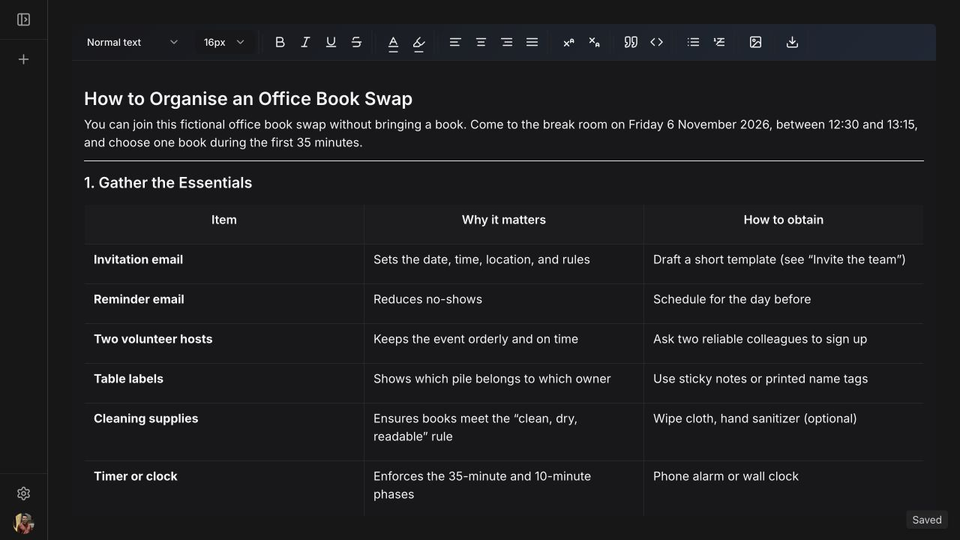
QuillAid: the first paragraph
Scenario (fictional): An office of 24 people plans a first‑time book swap on Friday 6 November 2026, from 12:30 – 13:15 in the break room. Attendance is not yet known. Each participant may bring 0‑3 books (clean, dry, readable; no magazines or damaged items). During the first 35 minutes everyone can pick one book; the final 10 minutes allow extra selections from any remaining titles. Two volunteer hosts will label tables, greet attendees, and keep the schedule. Owners collect any books they did not give away; donation is only possible if the owner explicitly agrees. The organiser will send one invitation and a reminder the day before, with questions directed to books@example.com.
QuillBot starts with an organiser's decisions. QuillAid starts by compressing almost the entire scenario into a paragraph. The facts belong in the article, but putting them all at the door makes the reader work before the advice begins.
That difference continued through the drafts. QuillBot used paragraphs to explain the rules, preparation, invitation, event and leftover books. QuillAid built eight numbered sections, including an essentials table, room setup, a schedule, a separate allowance explanation and a concluding summary.
Tables help when someone needs to find a time or responsibility quickly. They don't make every detail worth including. QuillAid specified two long tables, an hour of preparation and cleaning supplies, none of which the brief required. For this small event, we'd cut that extra administration.
Neither draft met the requested upper limit. QuillBot was 33 words over; QuillAid was 243 over. QuillBot needed less cutting, though it repeated the no-book-required rule in two sections.
The schedule is where the comparison gets decisive
Here is the same instruction against both first outputs:
| Version | One-book selection | Extra selections | Time available for extras |
|---|---|---|---|
| Supplied brief | First 35 minutes | Last ten minutes | 10 minutes |
| QuillBot's draft | 12:30–13:05 | 13:05–13:15 | 10 minutes |
| QuillAid's draft | 12:35–13:10 | 13:10–13:15 | 5 minutes |
QuillAid added a five-minute welcome before the first phase. It then described the remaining five-minute slot as ten minutes. A neat table concealed a changed event plan.
QuillBot kept the correct schedule. Both tools preserved the unknown attendance and avoided promising 72 books just because 24 people could each bring three. Both retained the requirement for owner permission before donation.
Our judgment on the first draft is straightforward: QuillBot followed this brief more closely. QuillAid's extra structure didn't compensate for the timing error.
Where QuillAid earns its place: finishing the document
After generation, QuillAid had opened the article as a saved document. We could edit the headings, paragraphs and tables in the same workspace instead of transferring a chat response into another editor.
We asked for a two-sentence opening explaining that someone could join without bringing a book. The inline AI proposal introduced a signup requirement that wasn't in the brief. We rejected it.
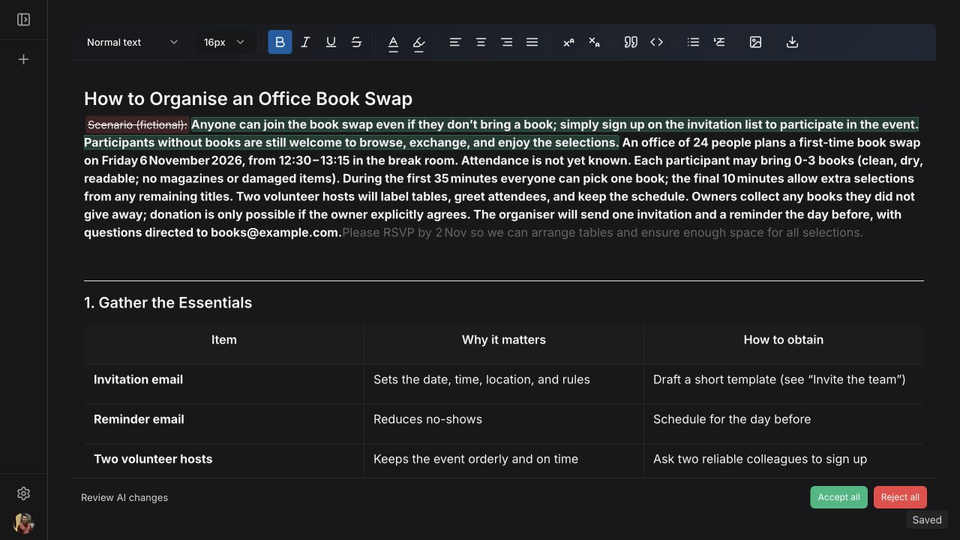
The useful feature here was control over the proposed change. An incorrect rewrite didn't have to replace the draft. “Reject all” let us discard it and carry on.
We supplied a shorter opening ourselves, beginning: “You can join this fictional office book swap without bringing a book.” We also corrected the schedule in the edited copy and brought that corrected content into the document. Saving and reloading preserved both changes.
For someone finishing an article, that continuity matters: the draft, proposed changes and final copy stay in one workspace. It's the strongest reason this test gives us to choose QuillAid. It doesn't excuse the generator's mistake.
What happened when we asked QuillBot to revise it?
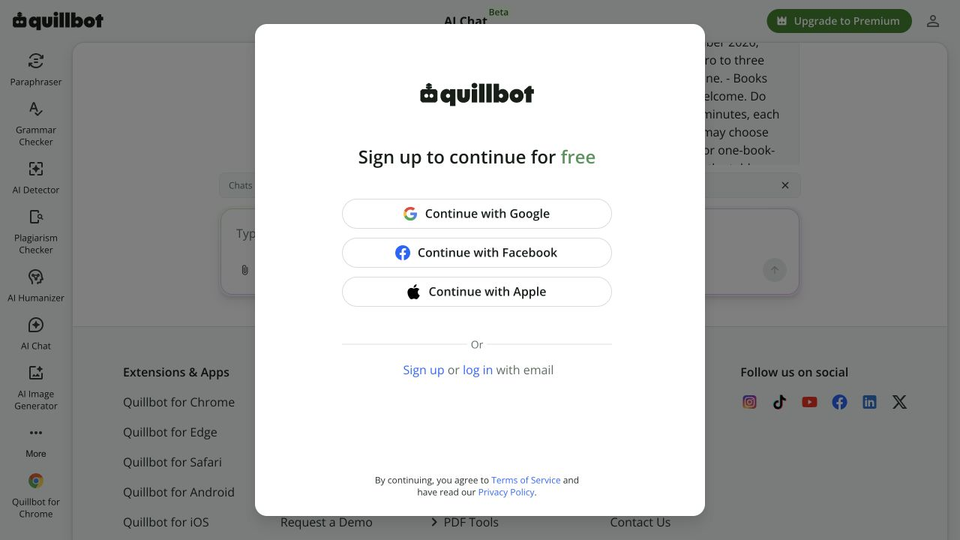
The same follow-up request reached a “Sign up to continue for free” prompt. We didn't complete another response in that signed-out session.
QuillBot had let us try the initial article before creating an account; QuillAid required one from the start. That makes QuillBot's AI Writer an easier entry point if you only want to try a draft.
For longer writing projects, QuillBot also has Flow, a separate workspace that combines paraphrasing, summaries, citations, research and notes. Those tools matter if your article needs source gathering and citation work. QuillAid's demonstrated benefit here is that the generated article already opens as an editable document; you can work on its structure and review proposed changes there.
Can you use the files outside the editor?
We downloaded the corrected QuillAid document in two formats. You can inspect the actual files:
- HTML download: retained the revised opening, headings, two tables and corrected schedule. The file contains an HTML fragment.
- Word-compatible DOC download: retained the same content in an HTML wrapper with a
.docextension. It is not native DOCX.
Neither file included the rejected signup wording or unaccepted autocomplete. For an HTML-based publishing workflow, that gives you the edited article's headings, lists and tables outside QuillAid. If a client specifically asks for DOCX, however, the Word-compatible DOC is a different format; confirm the required file type before handover.
QuillBot's AI Writer instructions direct you to copy the finished response and paste it where you need it. Its Paraphraser provides DOCX export for free and Premium users. Use that route for paraphrased text you want as a Word file. QuillAid's advantage is the direct handover from the document you're already editing, particularly when you want HTML.
Which would we choose for a complete article?
Choose QuillAid for the document workflow. It took our generated article into a saved editor, showed AI changes before acceptance, preserved manual corrections and produced usable HTML. Those are concrete benefits when you want to finish and hand over the piece in the same place.
Choose QuillBot's AI Writer for an easy first trial. It produced the closer draft in this test, kept the schedule intact and let us start without an account. Flow adds a workspace for research, notes and citations when those are part of the job.