
Reviewable AI writing
Write faster with an AI editor you control
QuillAid pairs trustworthy AI suggestions with tracked changes and full undo, so you can review every edit and keep your voice.
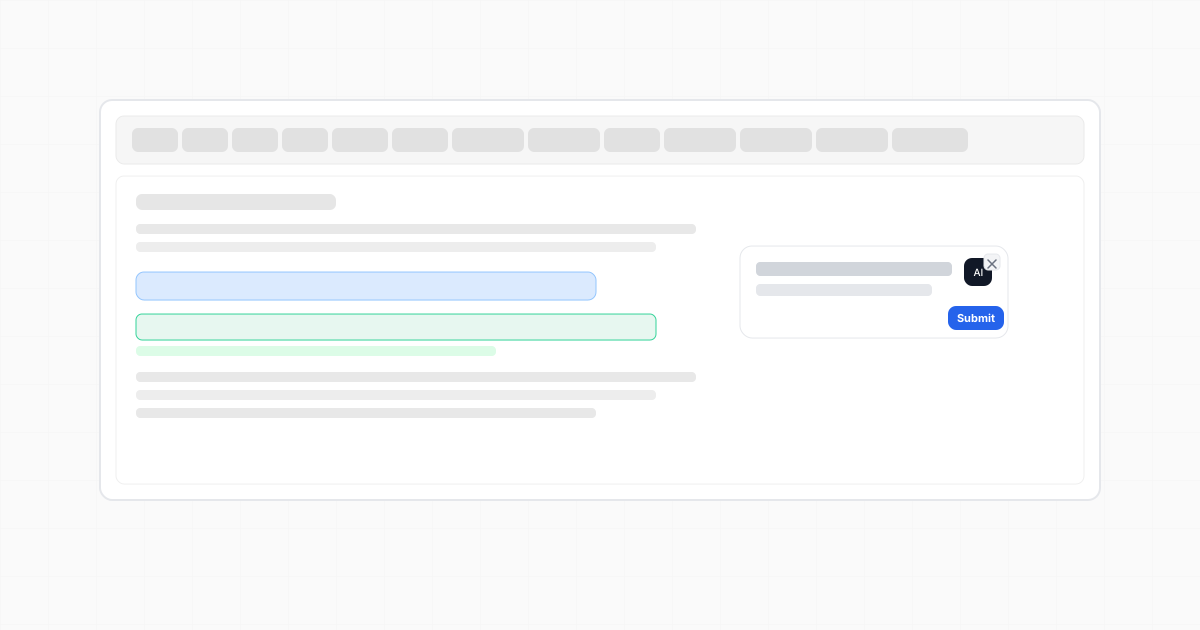
A suggestion you can review
Our product leverages innovative solutions to facilitate helps teams finish their weekly reports.
Accept the edit, revise it, or keep your original wording.
Start with the writing task in front of you
Use the editor locally for free. AI generation requires sign-in and follows your plan’s usage limits.
Why people choose us
Draft, review changes, and export your writing.
- Reviewable AI
See every change, accept with confidence
Inline diffs, tracked changes, and multi-step undo give editors full oversight over AI-generated suggestions.
- Performance
Fast, precise autocomplete
Get suggestions while drafting, then accept them with Tab or keep your original text. AI features require sign-in and available usage.
- Privacy & exports
Flexible exports that fit your workflow
Export to PDF, Word (.doc), Markdown, HTML, or TXT, built in from day one.
Exports
Download formats built-in.
Export directly from the toolbar to PDF, Word (.doc), Markdown (.md), HTML (.html), or Plain text (.txt).
- PDF: print-ready with consistent layout.
- Word (.doc): optimized with Microsoft Word HTML schema.
- Markdown (.md): GitHub-flavored output.
- HTML (.html): web-ready document markup.
- Plain text (.txt): minimal, everywhere compatible.
Platform
Everything You Need in One Platform
From reviewable AI to multi-format exports, QuillAid brings the essential tools together so teams can ship with confidence.
Edit in place with AI you can review
Select any text, give a natural instruction, and preview tracked changes before accepting.
Fast, precise autocomplete
Predictive suggestions that keep pace with long‑form drafting. Accept with Tab or keep typing.
Inline diffs and full undo
See insertions and deletions inline, with side markers and comment previews for confident reviews.
Product tour
Inline edits and autocomplete built for real work.
Inline AI editor
Open the editor on any selection, give a natural instruction, and accept changes with full visibility.
Autocomplete that keeps up
Predictive suggestions surface as you type, accept with Tab or ignore and keep writing.
Pricing
Start free, scale as you need.
Getting started? We’ll help migrate workflows and guide your rollout.
Basic editor without AI. Free downloads.
- Full editor (no AI features)
- Local documents
- Export/download: PDF, Word, Markdown, HTML, TXT
All AI features included. Usage quotas apply.
- QuillAid Writer: 15,000 words/month
- QuillAid Chat: 250 messages/month
- Inline AI editor
- Autocomplete
- Deep research
- AI-powered editing
- Tracked changes & full undo
- Export/download: PDF, Word (.doc), Markdown (.md), HTML (.html), TXT
All AI features included. Higher usage quota.
- QuillAid Writer: 100,000 words/month
- QuillAid Chat: 1,000 messages/month
- Inline AI editor
- Autocomplete
- Deep research
- AI-powered editing
- Tracked changes & full undo
- Export/download: PDF, Word (.doc), Markdown (.md), HTML (.html), TXT
All AI features included. Higher usage quota.
- QuillAid Writer: 250,000 words/month
- QuillAid Chat: 2,500 messages/month
- Inline AI editor
- Autocomplete
- Deep research
- AI-powered editing
- Tracked changes & full undo
- Export/download: PDF, Word (.doc), Markdown (.md), HTML (.html), TXT
FAQ
Still have questions?
Can we control what the AI changes?
How is our content handled?
Which formats can we export?
Our point of view
Writing stays under your control.
QuillAid combines drafting tools with an editor that makes AI changes visible. Start with your own notes, review the wording and evidence, and choose a format for the next step in your workflow.
- Editorial control
Reviewable diffs, tracked changes, and approvals first workflows designed for people who can’t afford guesswork.
- Workflow partners
Move between an article brief, a draft in the editor, and a file your reviewer can open.
- Future of writing
Keep your own voice, facts, and judgment in the final draft. Treat AI suggestions as proposals to review.