
Introducing QuillAid: Write Faster with an AI Editor You Control
See how QuillAid combines manual editing, reviewable AI changes, content generators, and document exports, with clear sign-in and plan requirements.
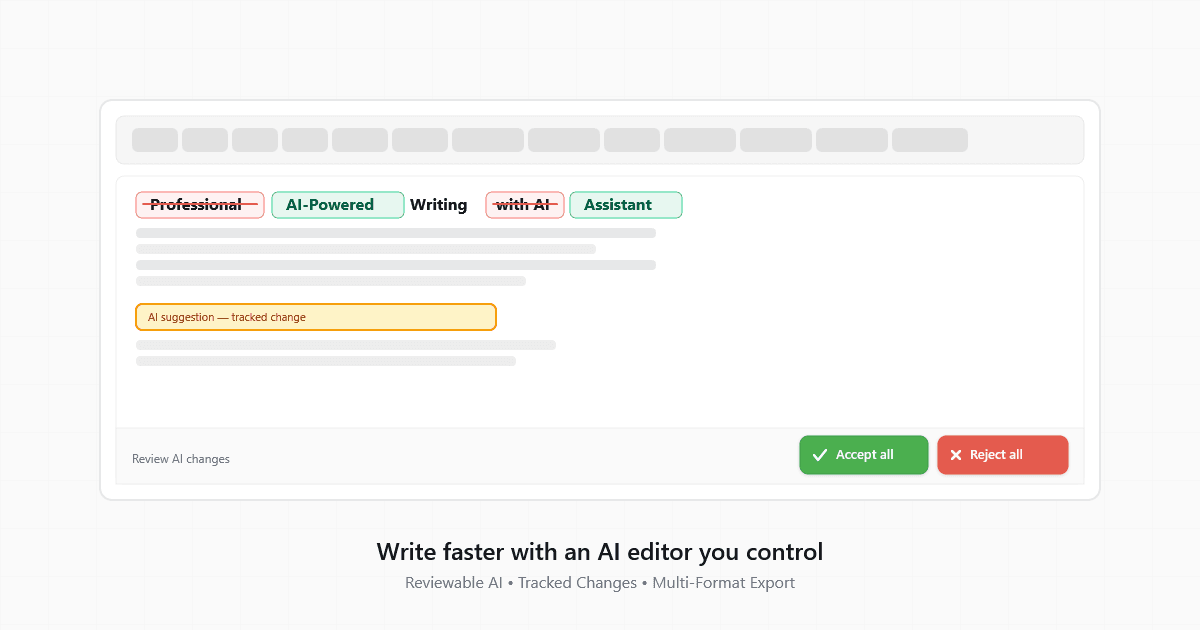
QuillAid is an AI text editor built around a simple writing workflow: draft, review a proposed change, and decide what belongs in the final document. You can start with a local document, use AI features after signing in, and move finished writing into a format that suits your destination.
Review a suggestion before accepting it
Select a passage and describe the edit you want. An instruction such as “Make this paragraph more direct without changing the facts” gives the AI a clear task. Review the proposed changes before accepting them, and use undo when you want to return to an earlier version.
A visible edit still needs judgment. Check that it preserves your meaning, keeps necessary qualifications, and does not add an unsupported claim. Faster wording is useful only when the revised sentence is accurate.
Start with a brief, then improve the draft
The content generators provide starting points for articles, blog posts, email copy, social posts, and product documentation. Each workflow includes an example and a worksheet you can adapt.
A useful brief names the reader, the question to answer, the facts to include, and the claims to avoid. For example:
Write a short onboarding guide for a new client. Include a kickoff meeting, one approver, and a first delivery date. Mark missing details as placeholders. Do not invent quotations or results.
The generator creates a draft from your instructions. It does not make that draft fact-checked research. Supply your own source notes and verify quotations, numbers, and product claims before publishing.
Use the AI article generator for an explainer or how-to draft. Use the blog post generator for a focused lesson, update, or opinion.
Keep manual writing available
You can open the editor and write locally without an account. Use headings and lists to organize the document, revise the wording yourself, and export a copy when you are ready.
Sign in when you want to save edits to your account or use AI features. AI usage depends on the limits of your plan. Local editing is different from saving a document to an account: keep a downloaded copy of work you want to retain.
Choose an export for the next step
The Download menu supports these writing formats:
- Markdown (.md): a text-based structure for documentation and repositories.
- HTML (.html): markup for a web publishing workflow.
- Plain text (.txt): text for notes or systems without rich formatting.
- Word-compatible (.doc): HTML packaged as a document that Word can open. It is not a native DOCX file.
- PDF: a fixed document generated on the server after signing in.
Formatting is not identical across these formats. Review headings, links, images, and tables in the destination application. Plain text cannot preserve visual styling or clickable links.
Convert existing writing
The converters accept pasted content and show a preview before download. Markdown, HTML, plain text, and Word-compatible DOC conversion run in the browser. PDF export sends rendered content to the server.
For Word to Markdown, copy content from Word and paste it into the workspace. If your browser supplies formatted clipboard content, the converter can use that structure. It does not upload DOCX files or import Word comments and review history.
Open in Editor transfers the converted content to a new document in the same browser tab. You can continue revising locally, then sign in if you want to save edits to your account.
Know what is included before you begin
The free editor supports manual writing and document exports. AI generation, inline AI editing, autocomplete, and agent chat require sign-in and follow plan usage limits. See pricing for the current plan details.
QuillAid’s role is to help you work on a draft. You remain responsible for the final facts, wording, and publication decision. Start with a task you can check, keep your sources close, and accept only the changes that improve the document.
Open a local document · Explore writing generators · Convert pasted content